Bring your game
Playable, with performance depending on the handheld. Supply your own complete Real Racing 3 2.7.0 Android game data. The port requires libRealRacing3.so and libfmodex.so from the 2.7.0 armeabi-v7a APK together with the fully downloaded game data directory. The APK alone is not enough because the additional tracks, cars, audio and UI data can no longer be downloaded from the original game servers. Copy your donor game data into ports/realracing3/ as a folder, ZIP or APK in any combination. The filenames do not matter; on first launch the port identifies and imports the required files automatically into ports/realracing3/data/. Keep the device powered on while the import completes and allow approximately 2.6 GB of free space. Menus, driving, sound and controller input are working. Performance is approximately 15-20 FPS on RK3326-class handhelds and may be better on faster ARM devices.
Install the port
- Update PortMaster. Copy realracing3-portmaster.zip into its
autoinstall/folder and open PortMaster. - Copy the owned game files into
realracing3-portmaster/as described above. Launch Real Racing 3 from your ports menu.
Manual installation paths
Handheld controls
| Control | Action |
|---|---|
| Left stick (left/right) | Steer |
| R2 | Throttle (analog) |
| L2 | Brake (analog) |
| R1 / L1 | Emulate right-stick right / left |
| A | Throttle (digital, full) |
| Y | Brake (digital, full) |
| B | Look behind |
| X | Change camera |
| D-pad left / right | Steer (digital, full lock) |
| Start | Pause |
| Select | Toggle Normal Mode / Mouse Mode |
| Control in Mouse Mode | Action |
| --- | --- |
| D-pad | Move the on-screen cursor |
| A | Tap at the cursor |
| B | Back |
| L1 / L2 | Emulate right-stick left |
| R1 / R2 | Emulate right-stick right |
| Right stick | Keep its normal game input, including list scrolling where supported |
| Start | Pause |
The port does not invent a control scheme. Real Racing 3 already ships one for game controllers: the [Android Gamepad] profile inside the game's own joystick_config.txt, which the engine loads for every pad it sees. Everything below is that profile, with the handheld's buttons translated to the ordinals the game's ControllerManager expects.
On a first launch the port also selects Wheel B (Wheel_Manual) as the control scheme, because it is the only scheme in the game's own Controls menu that both steers from the analog stick and leaves the throttle to the player. The stock Android default, *Tilt A*, hands the throttle to the game and expects an accelerometer this handheld does not have. Change it at any time from Settings → Controls in the game; the port never overwrites your choice after the first boot.
### Driving
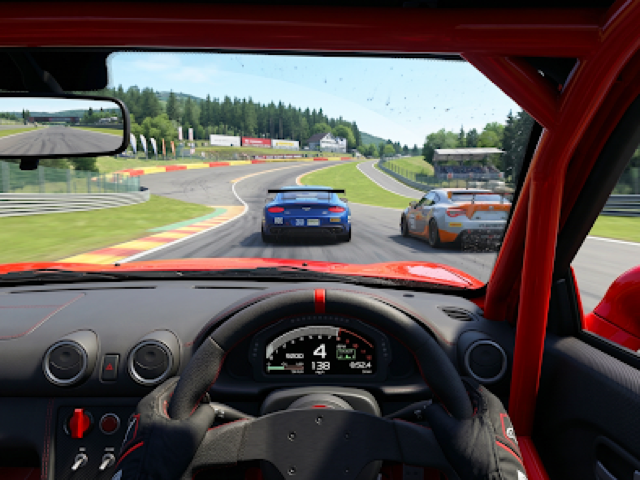
Face buttons are the ones printed on the handheld: A is the right button, B the bottom one, X the top one, Y the left one. The tutorial's prompt *"press the topmost face button to change the camera"* therefore means X, and it is correct.
Normal Mode keeps L2/R2 as analog brake/throttle. L1/R1 are remapped to the right stick's horizontal directions in both modes. In Mouse Mode, L2/R2 also emulate left/right on that axis.
### Menus
The port starts in Normal Mode, which preserves the game's controller bindings. Press Select to enter Mouse Mode for touch-only screens; press it again to return to Normal Mode. Mouse Mode also returns to Normal Mode after 15 seconds without input. L1/R1 use the horizontal stick mapping in both modes; L2/R2 use it only in Mouse Mode. The game's hand follows the cursor, with no extra arrow drawn over it.
Two of these controls have been exercised end to end so far — steering on the left stick and the throttle on R2, both through the driving tutorial. Every other row is the binding the game's own profile declares and the port emits, but nobody has confirmed it on screen yet, on this harness or on hardware.