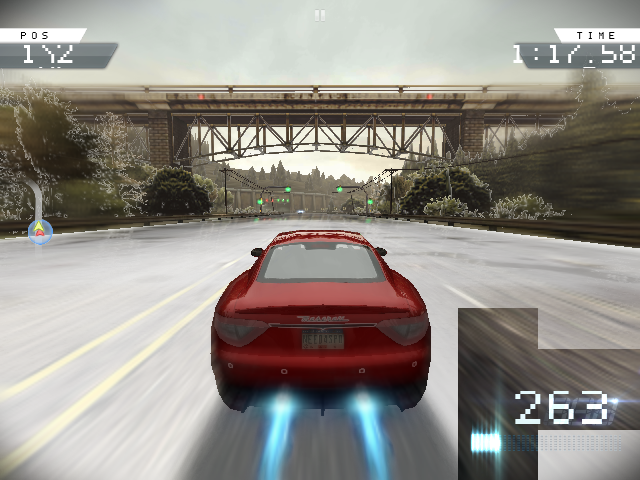
Bring your game
Copy the supported 1.3.128 APK and main.1003128.com.ea.games.nfs13_row.obb into ports/nfsmw/gamedata, then launch once.
Install the port
- Update PortMaster. Copy nfsmw.zip into its
autoinstall/folder and open PortMaster. - Copy the owned game files into
nfsmw/as described above. Launch Need for Speed: Most Wanted from your ports menu.
Manual installation paths
Put nfsmw.zip in PortMaster's autoinstall folder and run PortMaster. Copy your owned Android 1.3.128 (1003128) APK and main.1003128.com.ea.games.nfs13_row.obb to ports/nfsmw/gamedata/. Launch from Ports. eapx verifies all five native libraries against the upstream hashes and the complete OBB against SHA-256 before publishing the installation. First launch also prepares the OBB sound files used for music and menu effects, so allow extra SD-card space and keep the device powered on. Setup logs are in eapx.log; game logs are in logs/nfsmw.log.
The installed OBB lives in gamefiles/. Once setup succeeds, the original APK and OBB in gamedata/ can be removed. Existing saves in files/ remain untouched.
Handheld controls
| Control | Action |
|---|---|
| Left stick | Move the menu cursor; steer while driving |
| D-pad | Move the menu cursor; steer while driving |
| Right stick | Drag-scroll menus and pan the city map |
| A | Click in mouse mode; existing game action while driving |
| B | Back |
| L1 / R1 | Scroll the menu or map horizontally; existing driving actions while driving |
| L2 / R2 | Scroll the menu or map vertically |
| Select | Switch between mouse-menu and driving controls |
| Start | Pause while driving; switch back to driving from a pause menu |
| Select + Start | Exit |
The cursor starts visible for menus. If mouse mode receives no button, stick, or trigger input for 15 seconds, it automatically hides and normal gamepad controls take over. Any input restarts the timer. Select remains the manual mode switch; Start opens mouse controls on pause, and Start again resumes driving. Race-finish screens may require Select to return to mouse mode. Synthetic touch controls need handheld verification.
Native controls remain enabled; gptokeyb2 handles the exit shortcut. See the source repository's KNOWN_ISSUES.md for the upstream car-selection workaround.
The source addresses FMOD error 48 on ARM64 firmware running this ARM32 port by using the kernel's CPU-feature flags. FMOD uses native file callbacks for the prepared sound files. Please test music, menu effects, engine noises and crash sounds after rebuilding. If sound effects remain silent, include logs/nfsmw.log with your report.