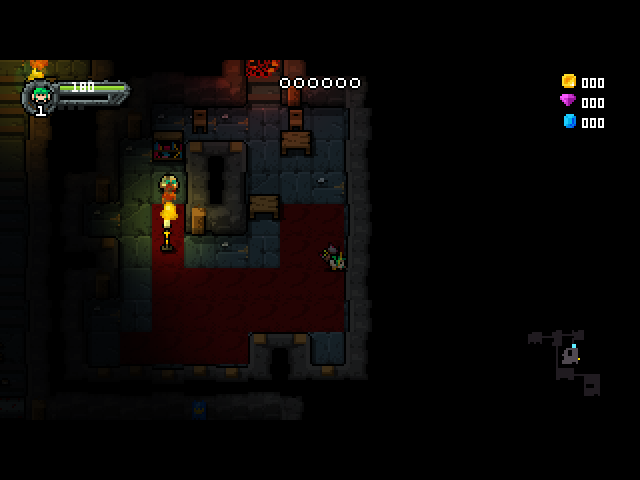
Bring your game
1. Open Heroes of Loot 2 on GOG in your owned library and download the full Windows offline backup installer for the supported build (1.5.2). Download every accompanying .bin part, if listed, and keep them beside the .exe. Use the full installer, not a patch or the Galaxy installer. 2. Run the installer on Windows and open the installed game directory. Find HeroesOfLoot2.jar beside the game executable. Enable file extensions in Explorer so its name is visible. 3. Copy that file unchanged into the installed port at <ports directory>/heroesofloot2/HeroesOfLoot2.jar. Keep its exact name, capitalization and spaces. The Windows EXE and bundled Windows Java runtime are not needed.
Alternatively, extract your full offline installer using innoextract. Run innoextract -d extracted "your-full-offline-installer.exe", then locate HeroesOfLoot2.jar inside the extracted files (usually extracted/app/) and copy it to the same destination. Installer layouts vary; use Windows installation if your extractor cannot read that installer. Do not unpack or rename the game archive itself.
No game-data conversion is required on a PC or handheld. The handheld verifies the supplied archive and creates its save folders. It cannot generate the purchased game data from nothing.
Supported archive SHA-256 (HeroesOfLoot2.jar):
67cff11e557a3660c4276058a3ebc62b03938a1ab4822652d48abf31b273c9e6Compare it with Get-FileHash -Algorithm SHA256 "HeroesOfLoot2.jar" in PowerShell, or sha256sum "HeroesOfLoot2.jar" on Linux. A different build needs a compatibility check.
Install the port
- Update PortMaster. Copy HeroesofLoot2.zip into its
autoinstall/folder and open PortMaster. - Allow PortMaster to download Westonpack and Java 17. An internet connection is needed if these runtimes are not installed.
- Copy the owned game files into
heroesofloot2/as described above. Launch Heroes of Loot 2 from your ports menu.
Manual installation paths
1. Update PortMaster. Put HeroesofLoot2.zip in PortMaster's autoinstall/ directory, then open PortMaster to install it. Connect to the network to download Java 17 and Westonpack if they are not installed yet. 2. Copy the owned file to <ports directory>/heroesofloot2/HeroesOfLoot2.jar. 3. Launch Heroes of Loot 2 from your firmware's ports menu.
For manual installation on muOS, extract the ZIP on your computer and copy Heroes of Loot 2.sh to <SD card>/roms/PORTS/, and the heroesofloot2/ folder to <SD card>/ports/ on the card configured as the firmware's ports location. The required file is <SD card>/ports/heroesofloot2/HeroesOfLoot2.jar.
For ArkOS/dArkOS and standard ports layouts, extract the ZIP into your configured ports directory (for example /roms/ports/ or /roms2/ports/) so Heroes of Loot 2.sh and heroesofloot2/ are beside each other. Use the firmware's configured ports location; the launcher uses PortMaster's directory value. Avoid creating an extra HeroesofLoot2/ wrapper folder.
Handheld controls
| Control | Action |
|---|---|
| D-pad up | UP / Up / navigate |
| D-pad down | DOWN / Down / navigate |
| D-pad left | LEFT / Left / navigate |
| D-pad right | RIGHT / Right / navigate |
| A | X / Action / confirm |
| B | ESC / Back / pause |
| X | Z |
| Y | TAB |
| L1 | 1 |
| R1 | 2 |
| L2 | ESC / Back / pause |
| R2 | Left mouse button / fire toward the cursor |
| Right stick | Mouse cursor / aim |
| Start | O / Options |
| Select | ESC / Back / pause |
| Left stick | Same directions as the D-pad |
| Select + Start | Exit; save through the game first |
Use the game's default keyboard bindings. Start sends O for options.
Saves & troubleshooting
Back up heroesofloot2/saves/ before updates. Read heroesofloot2/log.txt if startup fails. Report your device, exact firmware version, resolution and steps to reproduce, and attach the log. Test menu navigation, gameplay, audio, game speed, save/reload, suspend/resume and clean exit. Keep purchased game files private.